


Mobs Maker for Minecraft PE
3.2136.00 Reviews
App Specs
- Version
- 1.4.0
- Updated On
- License
- Free
- Downloads
- 500,000+
- Developer
- PAMG Studio
- Categories
- Libraries & Demo
- Platform
- Android, iOS
Screenshots
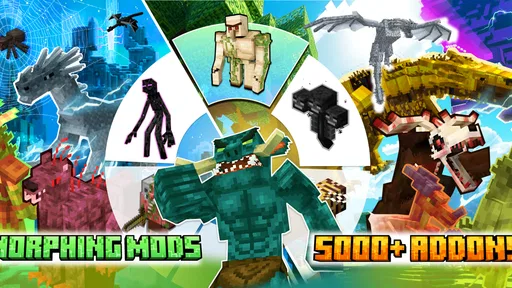
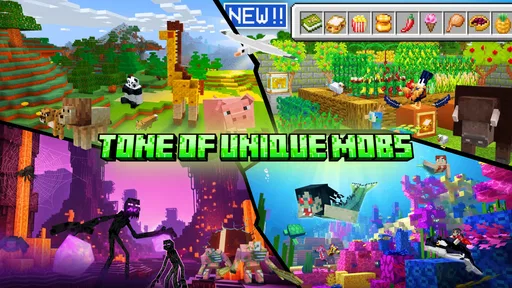
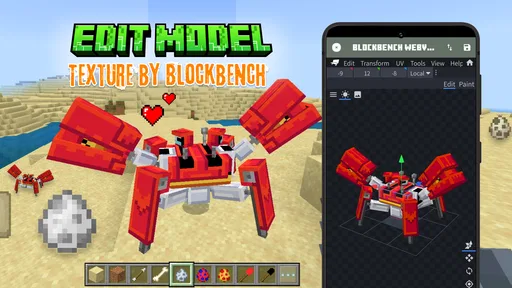
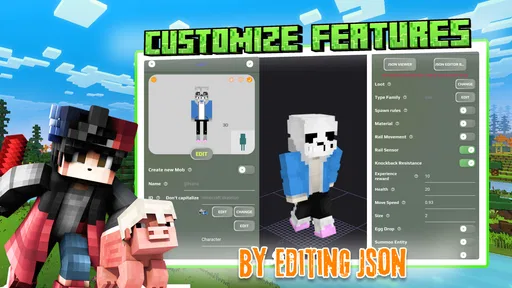
 Analysis by AppCompare
When a custom mob refuses to appear in Minecraft PE, it is tempting to blame the editor immediately. I’d pause before starting over: making a creature is only one part of the process, and moving it into a separate game adds a few handoff steps where confusion can creep in. Mobs Maker for Minecraft PE is aimed at people who want to explore that creative process, but it works best when you treat each stage as a small task rather than expecting one tap to handle everything.
Where the process can feel confusing
The idea is appealing: shape a creature, adjust its appearance or behavior, then try to bring it into your world. The friction is that “creating a mob” can mean several different things to a new user. A design that looks finished in an editor is not automatically the same as a creature that is ready to use in a Minecraft world. Keeping those two expectations separate makes the experience less frustrating.
I’d also avoid changing lots of things at once. If you adjust a creature’s look, size, and behavior in one long session, it can be hard to tell which change caused a result you didn’t expect. A more manageable approach is to make one meaningful edit, check it, and then continue. That may sound slower, but it saves the effort of rebuilding a design when you can’t remember what you changed.
The app is free to install, with optional in-app purchases listed at $3.49 per item. That makes it easy to explore without committing to a purchase first, though I’d still take a moment to understand what an optional item offers before spending. The audience rating is Teen, which is worth bearing in mind if you are choosing creative apps for a younger player.
Small setup checks before you begin
Before investing time in a detailed design, I’d make a simple test creation and see how the whole route works on your device. Check that the app opens comfortably, that you can find its creation and export steps, and that Minecraft PE is available to complete the handoff. The point is not to troubleshoot a problem that has not happened; it is to learn the basic path while the project is easy to repeat.
It helps to keep expectations realistic about device compatibility, too. The current version is 1.3.8, and the stated minimum Android requirement is 7.0. If your device is older or running a different setup, check the app’s compatibility on its store page before planning a long project. A minimum operating-system requirement does not guarantee that every device will feel equally smooth, so a quick trial is more useful than assuming performance from the specification alone.
For a first session, I’d choose a small, recognizable creature rather than trying to build a complicated character from scratch. That gives you a chance to learn where the appearance controls are and how the export instructions are presented. Once you have completed that loop, you can decide whether the workflow suits the kind of mob you actually want to make.
Worth Reading Before You Choose

Flipboard Shows What News Apps Must Do Beyond the Feed

Switching to Android Auto Means Rethinking Your Driving Routine

Google Calendar Makes a Crowded Week Easier to Manage

Ludo King Makes the Most of the Minutes Between Plans

Baby Panda World Brings Quick Play to Modern Phones, but Its Game Library Feels Busy

ESPN’s Live Game View Makes Following Close Games Easier
Recovering a project without losing your idea
If the result is not what you expected, don’t immediately discard the design. First, return to the editor and identify whether the issue is visual, behavioral, or part of the export handoff. Changing one thing at a time gives you a clearer answer. If the app or game stops responding, closing and reopening the relevant app and repeating the last clear step is a sensible general check; I would not keep tapping through an unclear screen and risk making the state harder to understand.
A useful habit is to keep a short note of the choices that matter to you: the creature’s intended look, the behavior you were aiming for, and the last step that worked. This is especially helpful if you are experimenting over several short sessions or sharing a device. It gives you a reference point if you need to rebuild, and it turns trial and error into a more deliberate design process.
When you reach the export stage, read the instructions on screen rather than relying on a remembered sequence from another tool. Minecraft-related creation apps do not all use the same handoff, and a method that works elsewhere may not apply here. If the creature does not appear in your world, go back to the export directions and check the handoff before redoing the model itself.
Knowing when the editor is not the cause
A custom creation depends on more than the design screen. Minecraft PE needs to be the place where you finish the process, so it is worth checking that you are working in the intended game and world before concluding that an edit failed. If the handoff appears to complete but the outcome is missing, retrace the visible steps in order rather than making unrelated changes to the creature.
I would also separate a design problem from a compatibility or workflow problem. If the same simple test works but a more elaborate idea does not, simplify the design and compare the results. If even the basic test cannot make it through the process, focus on setup and the app-to-game handoff first. This kind of comparison is a practical way to narrow down where things went wrong without pretending every issue has the same fix.
Getting Started with Mobs Maker
First things first, downloading this app is a breeze. Just a quick tap-tap on your app store, and you’re ready to dive into a world of endless possibilities. Once installed, the interface is pretty intuitive. You don’t need to be a tech wizard to navigate through it, which is always a win in my book.
Upon launching, you're greeted with a straightforward menu that lets you jump right into creating your first mob. The app provides a variety of templates to get you started. Whether you're going for a creepy-crawly spider or a friendly sheep, there's something for everyone. And if you're feeling particularly adventurous, you can start from scratch and design your own unique creature.
Creating Your Masterpiece
This is where the real fun begins. The app provides a plethora of customization options. From adjusting the mob’s size to changing colors, textures, and even behaviors, you can make your creation as wild or as tame as you like. Feeling like giving your mob the ability to fly? Go for it! Want it to shoot fireballs? Absolutely!
The layer-based editing system is a neat feature. It allows you to stack different elements on top of each other, giving your mob depth and personality. The drag-and-drop interface makes it super easy to experiment with different looks without any hassle.
Testing Your Creations
Once you're satisfied with your creation, it's time to test it out. The app has a built-in simulator that lets you see how your mob behaves in the wild. It’s a bit like being a mad scientist, watching your creation come to life. If something doesn’t work quite right, you can easily hop back into the editor and tweak it until it’s perfect.
Exporting your mobs to Minecraft PE is also a straightforward process. The app provides clear instructions, and before you know it, your custom mob is roaming your Minecraft world, turning your game into a truly personalized experience.
The Community Aspect
One of the standout features of Mobs Maker for Minecraft PE is its community aspect. You can share your creations with other users and browse through an extensive library of mobs made by fellow enthusiasts. It’s inspiring to see what others have come up with, and it can spark ideas for your next creation.
The rating and feedback system is also a nice touch, allowing you to see what others think of your work and gain valuable insights. Plus, who doesn’t love a bit of community recognition?
Why You’ll Love It
What really makes this app shine is its accessibility and depth. Whether you’re a seasoned Minecraft veteran or a newcomer, the app caters to all skill levels. The mix of creativity, community interaction, and the sheer joy of seeing your ideas come to life makes it a must-have for any Minecraft fan.
It's not just about creating mobs; it’s about enhancing your Minecraft experience. With the ability to tailor your game to your liking, Mobs Maker empowers you to make your Minecraft world truly your own.
So, if you’re ready to take your Minecraft adventures to the next level, give Mobs Maker a try. It’s like opening up a new dimension of fun and creativity, and trust me, once you start, it’s hard to stop!
Who will get the most out of it
I’d recommend this to a Minecraft PE player who enjoys tinkering as much as playing. It makes most sense if you already have a creature idea and want to explore how its shape, textures, and behavior could come together. A parent or sibling can also use it as a shared creative activity: sketch an idea, make a simple version, then see whether the transfer works before anyone spends a whole afternoon refining details.
It is less suited to someone who only wants ready-made content with no design work. In that case, browsing existing community creations—or using a simpler add-on route, where available—may be quicker. Likewise, if your goal is professional 3D modeling or precise asset production, a dedicated desktop tool such as Blockbench is a more natural fit. This app’s appeal is the approachable bridge between a mob idea and a Minecraft-oriented workflow, not a replacement for every modeling tool.
A practical way to use it in a short session
Imagine you have ten minutes before a friend joins your world. I’d start with a template close to the creature I have in mind, change only its most distinctive features, and use the simulator or preview stage to check the result before attempting the game handoff. If the basic version transfers, I’d return later to refine it. If it doesn’t, I have learned that the next session should focus on the process rather than on polishing textures.
This staged approach is useful because creative apps invite endless tweaking. A clear stopping point—first a recognizable design, then a successful handoff, then optional refinements—keeps the project enjoyable. It also makes it easier to show a younger player what has changed between attempts, instead of presenting a pile of edits with no obvious lesson.
How it fits among Minecraft creation tools
Compared with general-purpose drawing apps, this is more directly focused on turning a mob concept into something intended for Minecraft PE. Compared with a full modeling environment, it should feel less intimidating for casual experiments, though that convenience can come with less control over a highly technical workflow. The trade-off is straightforward: choose this when accessibility and a Minecraft-focused goal matter more than professional-level editing; choose a broader tool when you need precise control or want to work beyond mobs.
The Libraries & Demo category is a useful clue to its role: I see it as a creative utility to explore, rather than a standalone game that supplies a complete play experience. JoyCraft Studio is the developer, and the app has a 3.6 average from around 1.7 thousand ratings, with over 500 thousand installs. Those figures suggest a sizeable audience, but they do not tell me whether the workflow will suit your device or your patience, so I would use a small test project to make that decision.
What to expect before committing time
The app is free to try, but optional purchases mean I would treat any paid extras as a separate decision, not as a requirement for getting started. Its Teen age rating is another reason for families to look at the store page together before handing it to a younger child. The release date is February 8, 2023, and the current version is 1.3.8; the useful takeaway is simply to check that the installed app and your Minecraft setup are compatible, especially if you are returning after a long break.
One question people often have is whether they need to know modeling already. I don’t think that should stop a beginner from trying it: starting with a template gives you a more approachable route than facing a blank design. The more important question is whether you enjoy iterative work. If adjusting a creature, previewing it, and revising it sounds satisfying, the learning curve is part of the fun; if you want an instant result, it may feel like extra effort.
My practical verdict
For me, the best reason to install it is the chance to turn a Minecraft mob idea into a hands-on project without first mastering a heavyweight creative suite. I’d begin with a simple design, confirm that the full route into Minecraft PE works, and only then invest in elaborate details. That is the safest way to tell whether the app matches your setup and the kind of creativity you enjoy.
There is some friction in any workflow that moves from an editor into a separate game, and a simulator or preview should not be treated as a guarantee that every handoff will behave exactly as expected. Still, for curious players who like experimenting, the combination of templates, visual editing, and a community angle gives the app a clear purpose. If you prefer direct gameplay, minimal setup, or fine-grained professional modeling, I’d choose another option; if making a creature and testing the idea is the point, this is worth a patient try.
Pros
- User-friendly interface for beginners.
- Wide variety of customization options.
- Regular updates with new features.
- Seamless integration with Minecraft PE.
- Quick and responsive app performance.
Cons
- Limited free features; in-app purchases needed.
- Occasional bugs during export process.
- Ads can be intrusive at times.
- Requires internet for full functionality.
- Some advanced features are not intuitive.
FAQs for Mobs Maker for Minecraft PE
What is Mobs Maker for Minecraft PE and how does it work?
Mobs Maker for Minecraft PE is an app that allows users to create custom mobs for their Minecraft Pocket Edition game. It offers a user-friendly interface where players can design, customize, and implement new mobs directly into their game. This enhances gameplay by providing a personalized and unique gaming experience.
Is Mobs Maker for Minecraft PE compatible with all versions of Minecraft?
Mobs Maker for Minecraft PE is designed to be compatible with the latest versions of Minecraft Pocket Edition. However, it's always a good idea to check the app's compatibility with your specific version of Minecraft, as updates can sometimes cause compatibility issues. Ensure your app and game are both up to date for the best experience.
Are there any in-app purchases or subscriptions required in Mobs Maker for Minecraft PE?
While Mobs Maker for Minecraft PE may offer free basic features, it often includes in-app purchases to unlock advanced customization tools or additional content. These purchases are optional but can enhance the app's functionality. Check the app’s details on the store page for a breakdown of available purchases.
Can I share or export my custom mobs with friends?
Yes, Mobs Maker for Minecraft PE typically allows users to export and share their custom creations. This feature enables you to send your designed mobs to friends or even share them online. Always ensure you have the necessary permissions to share content and that your friends have compatible versions to import the mobs.
Is Mobs Maker for Minecraft PE safe to use?
Mobs Maker for Minecraft PE is generally safe, especially if downloaded from official app stores like Google Play or the Apple App Store. These platforms have security protocols to ensure apps are safe. However, always be cautious with permissions requested by the app and avoid downloading from unverified sources.


